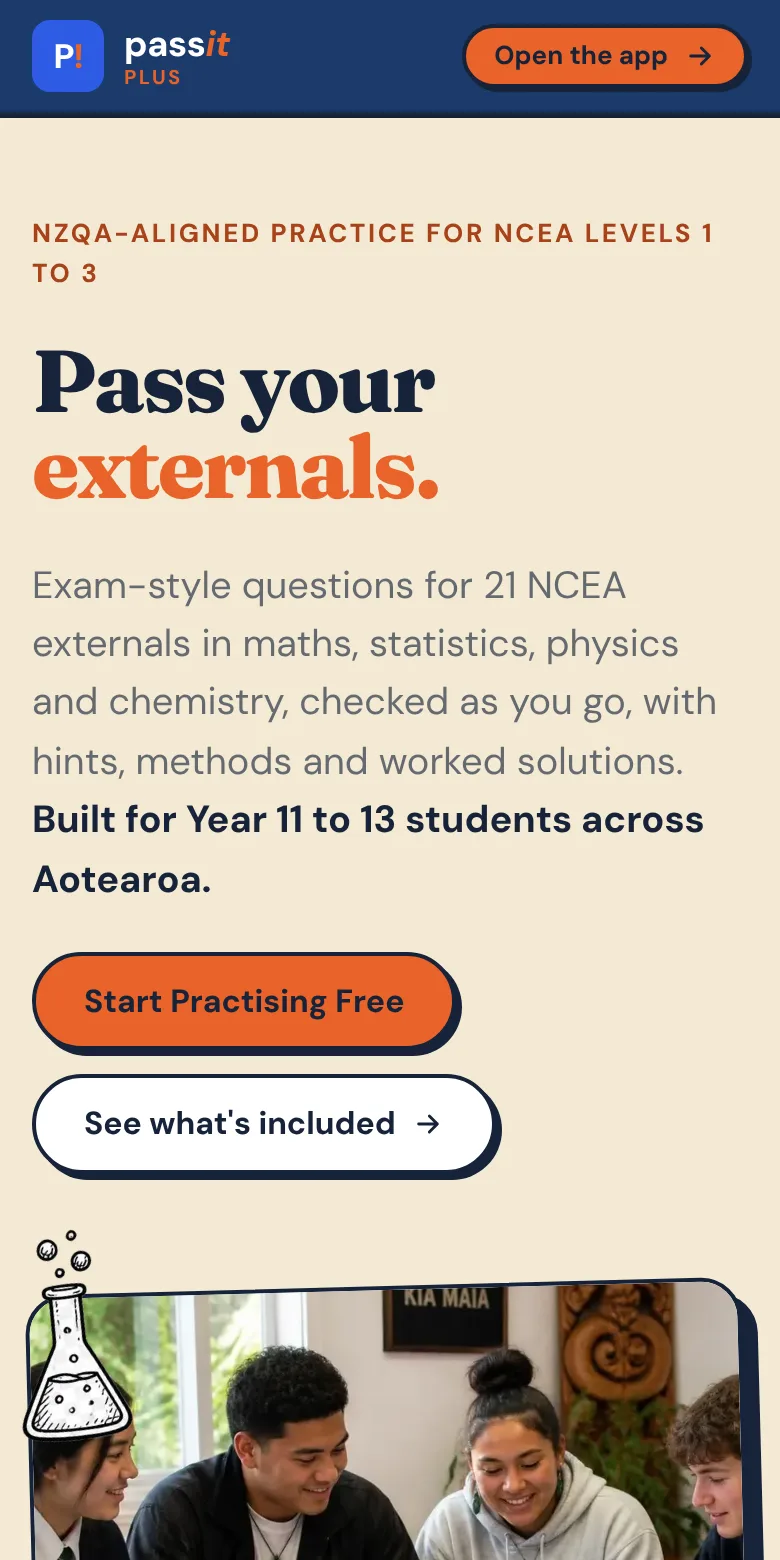
Go to www.passit.cc and tap Start Practising Free.
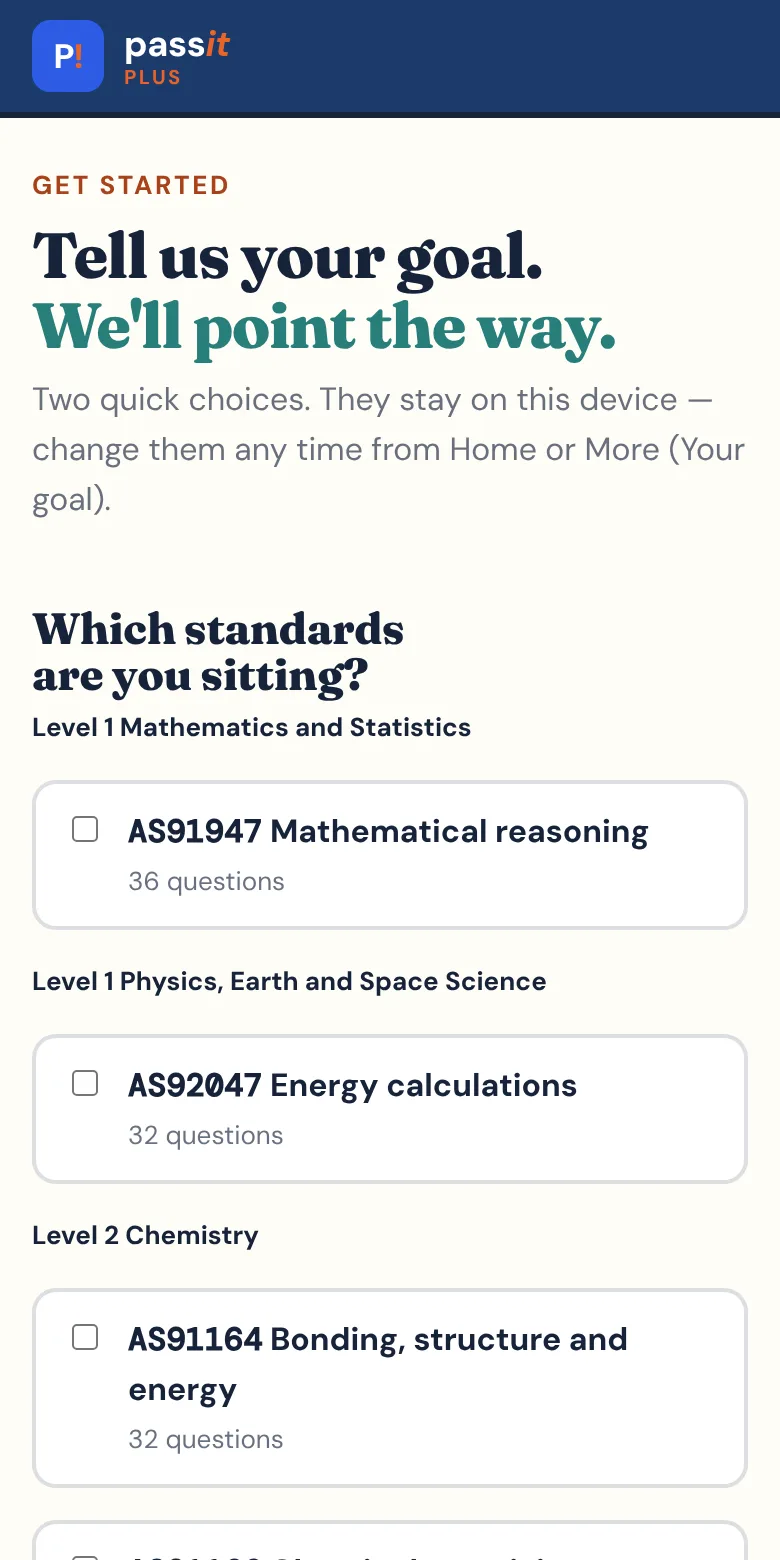
Tick the standards you're sitting, for example AS91578 Differentiation.
Choose the grade you're aiming for: Achieved, Merit or Excellence.
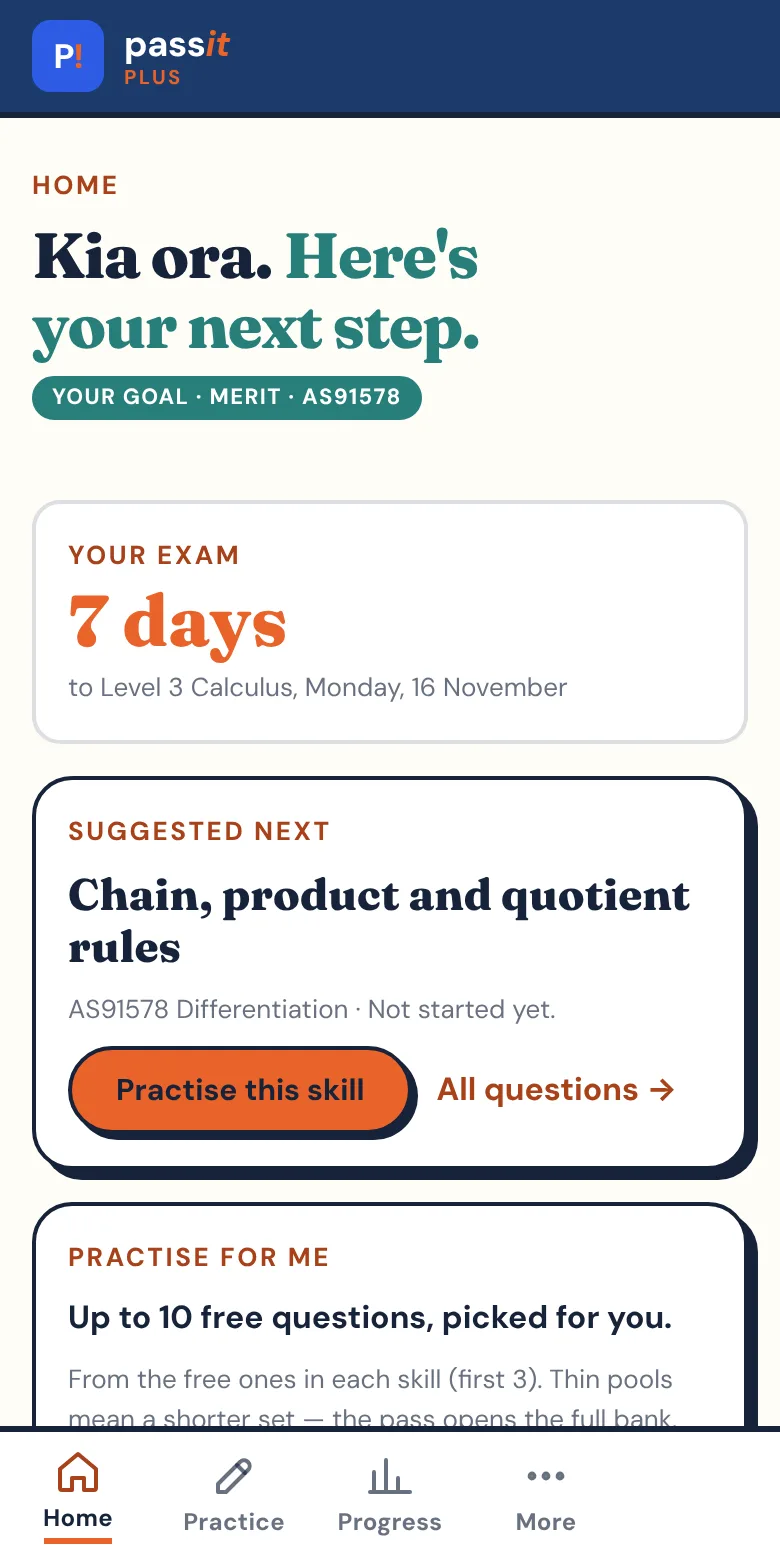
Tap Start practising. Home shows days to your exam and the skill to practise next.
Tip. Not sure yet? Tap Skip for now. You can change your goal any time from Home or More. Your goal stays on your device.
1 The landing page2–3 Tell us your goal4 Home, with your next step
2Practise a skill
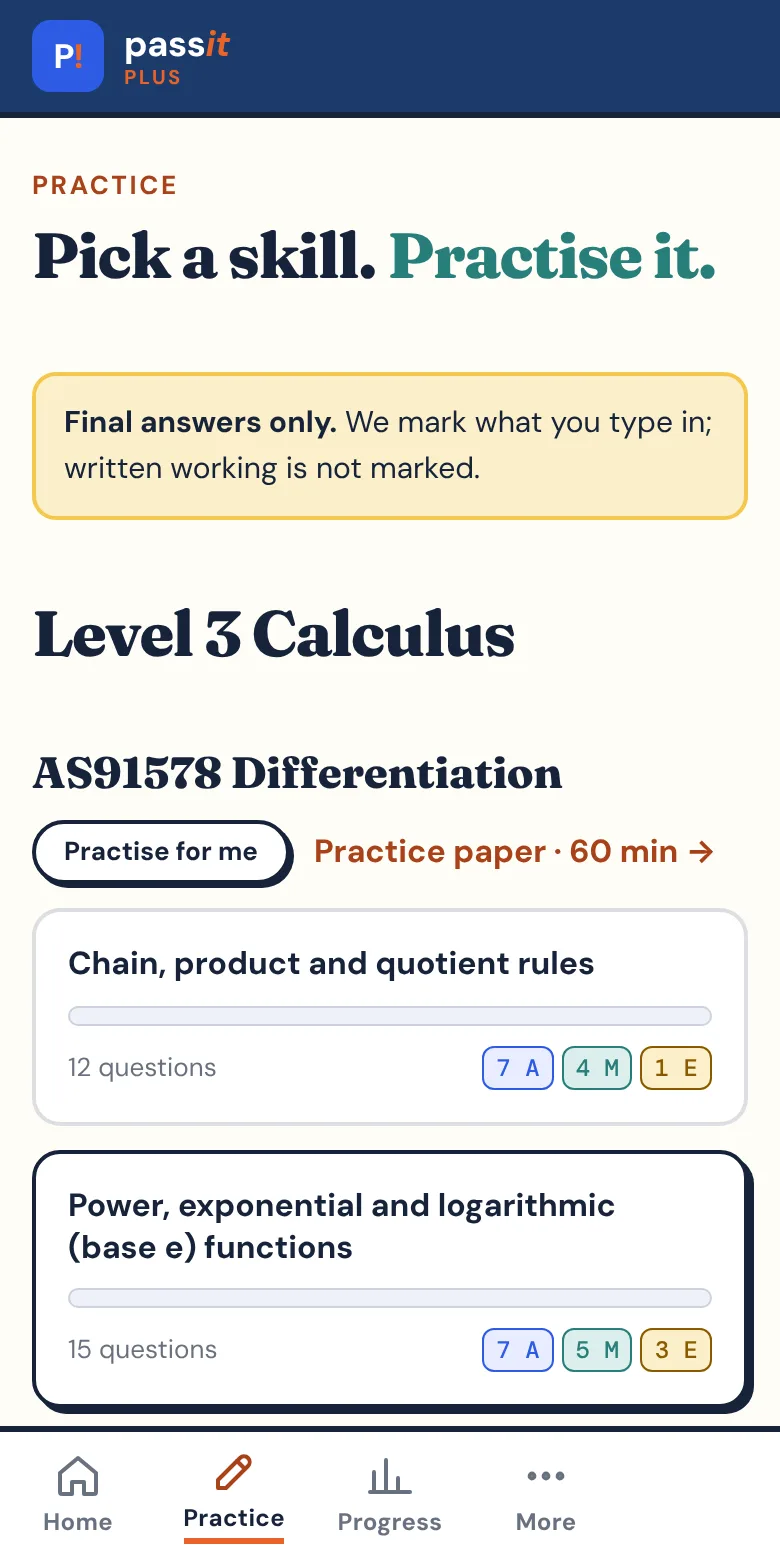
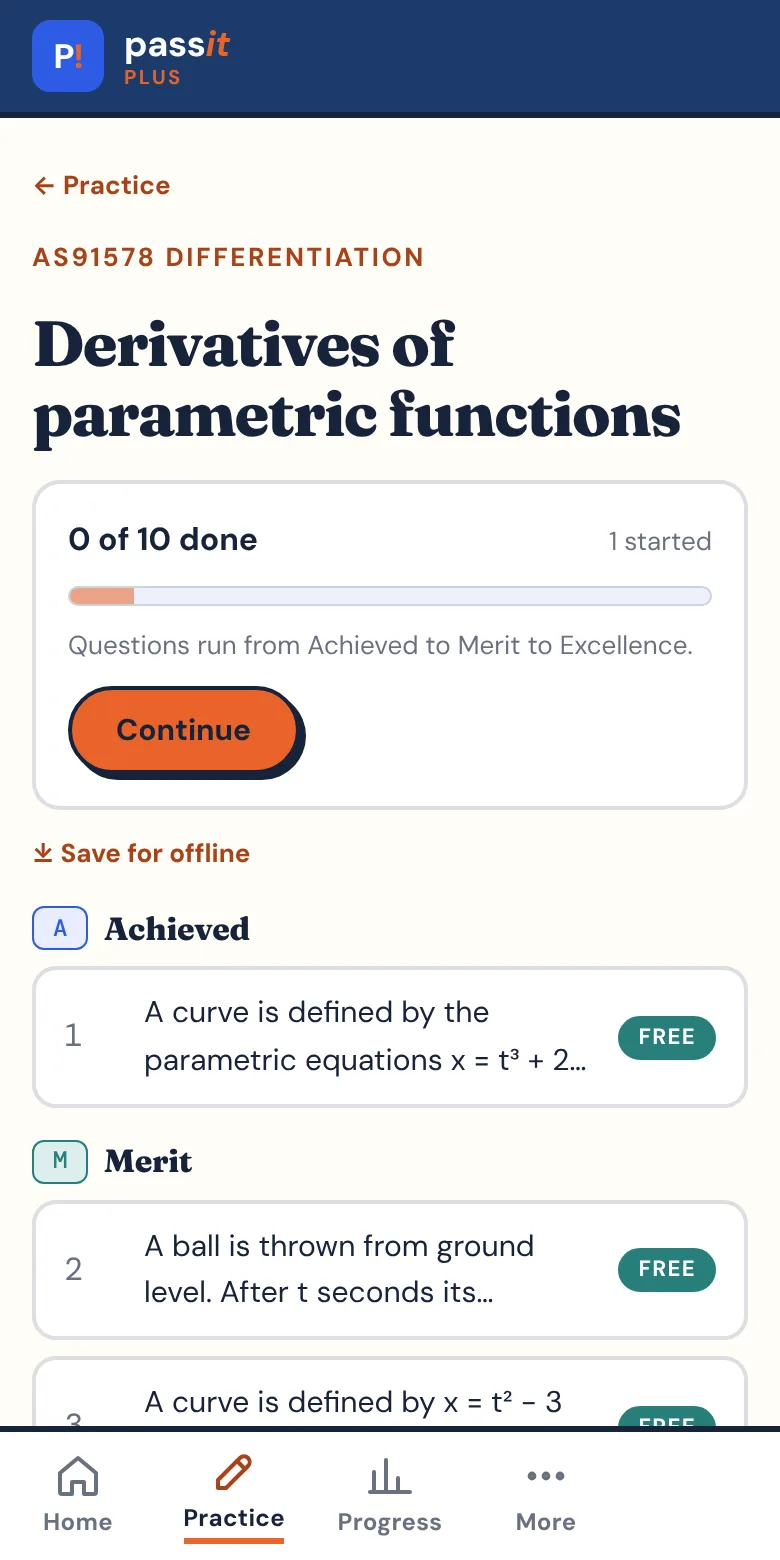
Tap Practice at the bottom of the screen.
Find your standard and tap a skill. Questions run from Achieved to Merit to Excellence.
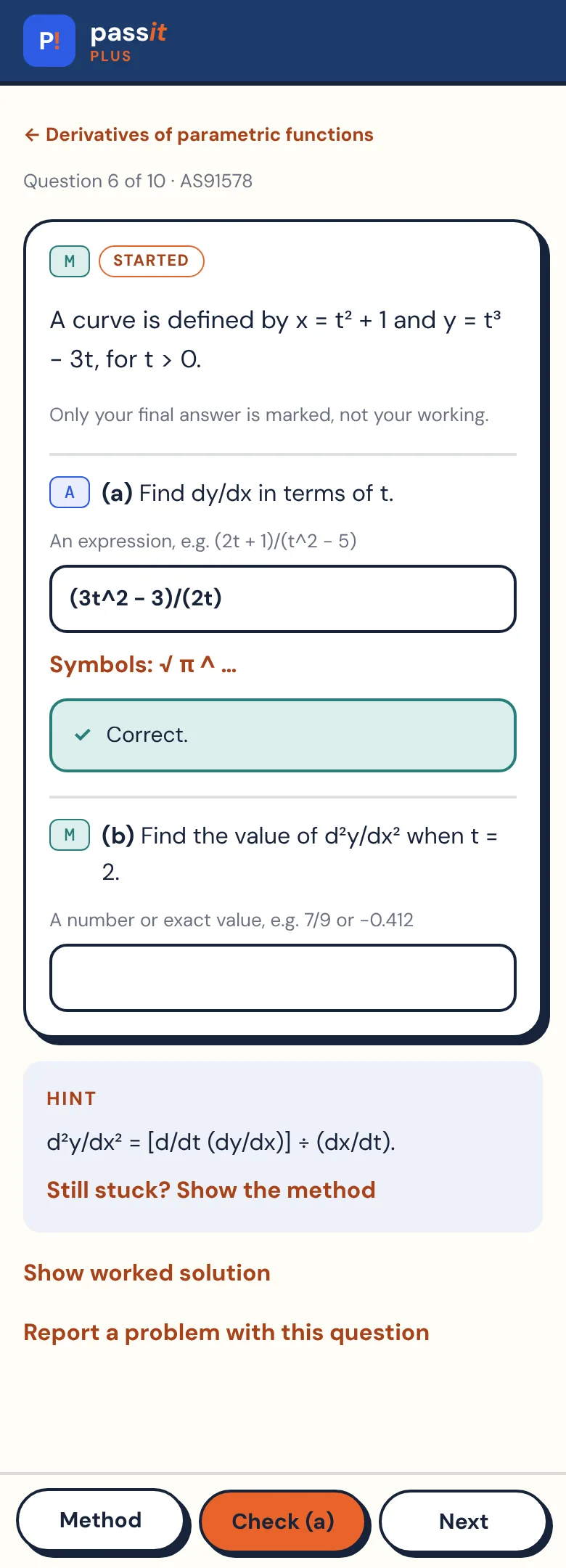
Open a question. Type your final answer in the box and tap Check.
Stuck? Tap Hint. Still stuck? Tap Method, then Show worked solution.
Tap Next for the next question, or Done to go back to the skill.
Only your final answer is marked. Your written working is not marked, so check the format under the box, for example (2t + 1)/(t^2 - 5).
Let Passit choose. Tap Practise for me on Home or Practice. You get up to 10 questions: new skills first, then your weakest ones.
Something wrong with a question? Tap Report a problem with this question under it.
1 Pick a skill2 Questions in a skill. Free ones are marked3–5 Check, Hint, Method, Next
3Sit a practice paper
On Practice, under your standard, tap Practice paper · 60 min.
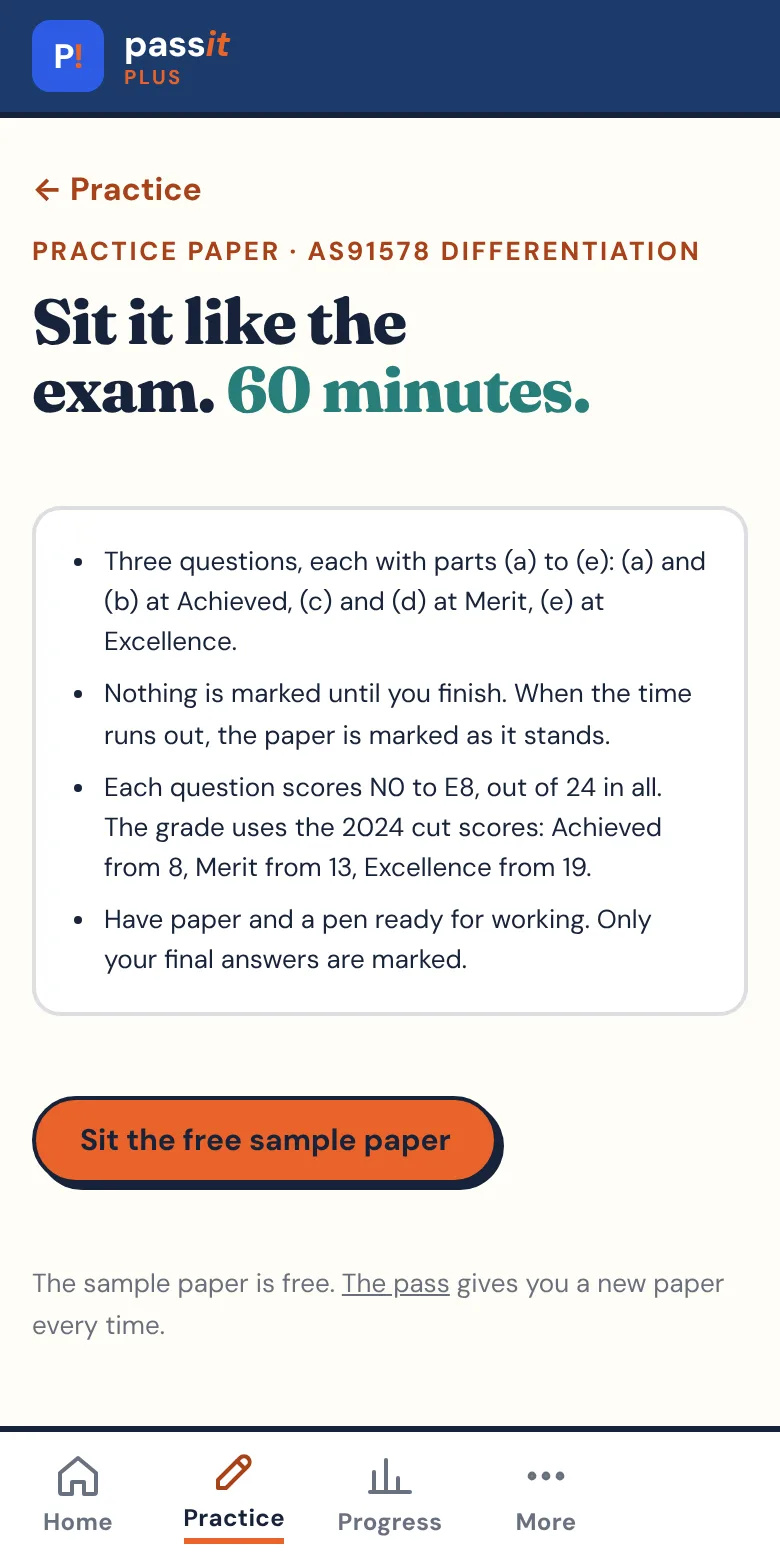
Read how it works. Have paper and a pen ready for working.
Tap Sit the free sample paper. With the pass, you get a new paper every time.
Answer the three questions, each with parts (a) to (e). Nothing is marked until you finish. When time runs out, the paper is marked as it stands.
See your score for each question, from N0 to E8, and your grade.
How the grade works. The three scores add up to 24. Using the 2024 cut scores: Achieved from 8, Merit from 13, Excellence from 19.
2–3 Read the rules, then start
4Check your progress
Tap Progress at the bottom of the screen.
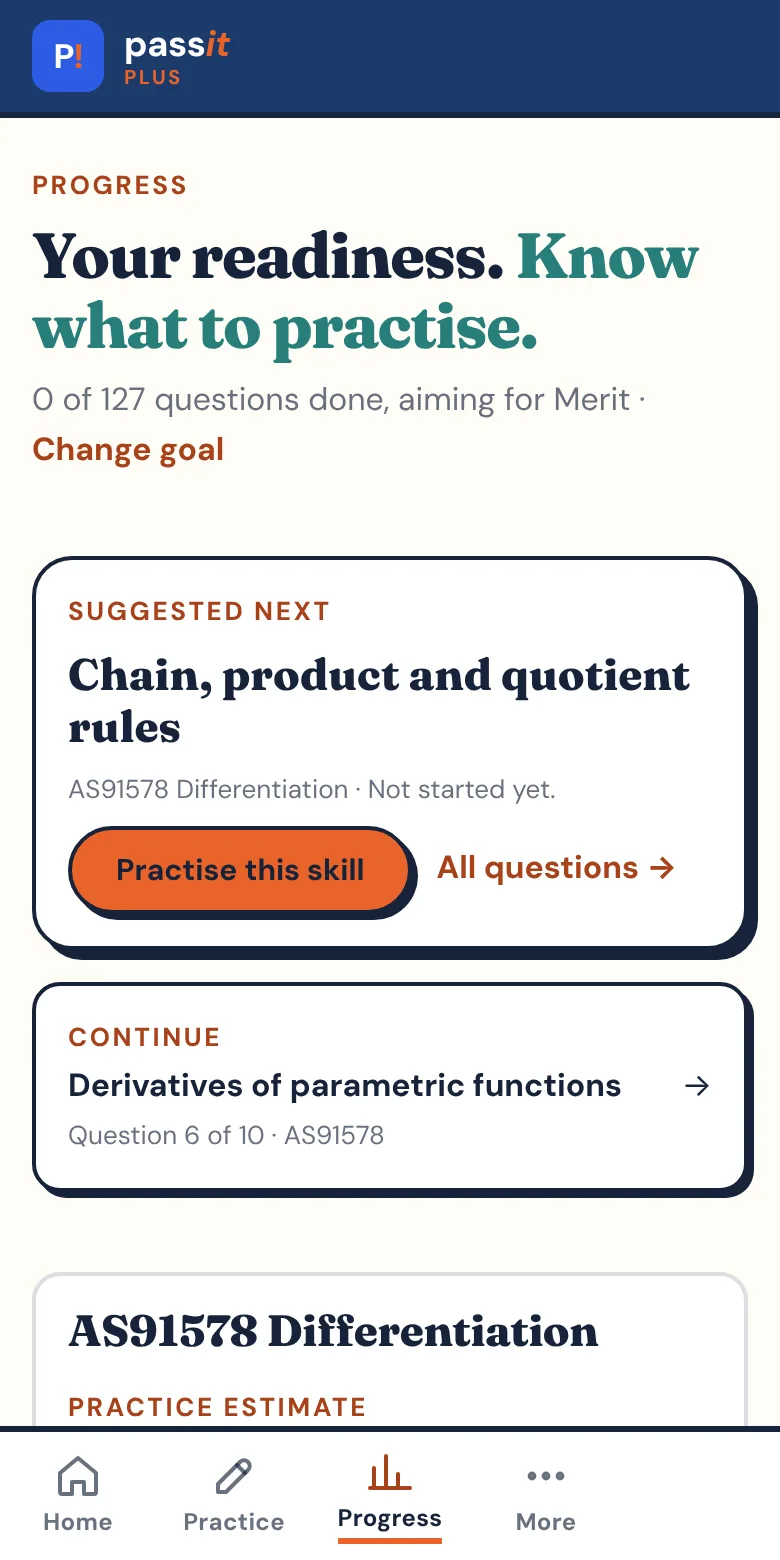
See how many questions you've done and a practice estimate for each standard.
Tap Practise this skill under Suggested next, or Continue to go back to where you stopped.
Tip. Progress is saved on your device as you answer. Sign in to keep it on every device.
2–3 Your readiness and what to do next
5Sign in and get the pass
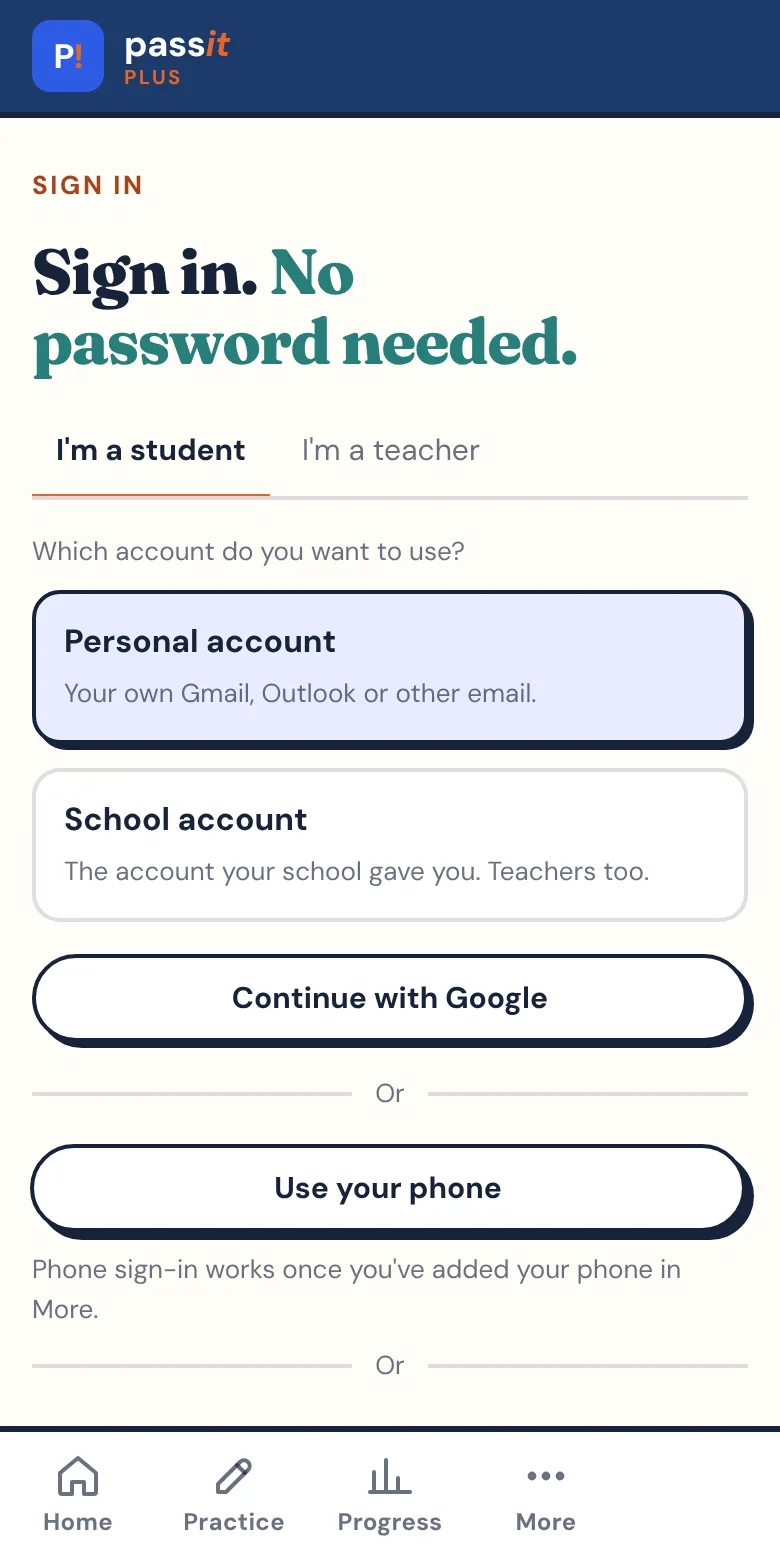
Tap More, then Sign in.
Under I'm a student, choose your personal or school account. Continue with Google, use your phone, or get an emailed sign-in link. There's no password.
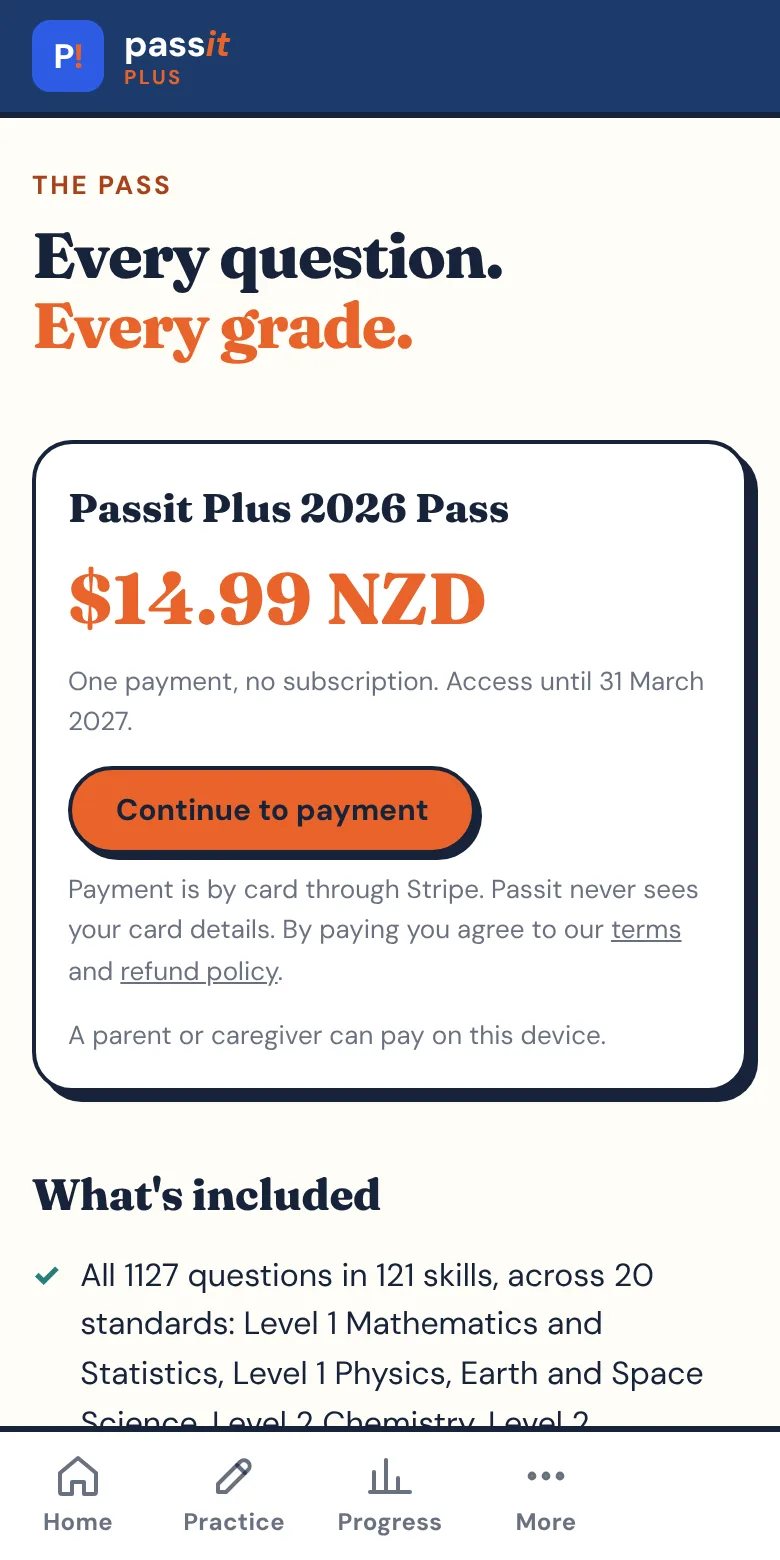
On More, tap Get the pass, then Continue to payment.
Pay by card through Stripe. The pass opens every question and a new practice paper each time.
The pass. $14.99 NZD, paid once. No subscription. Access until 31 March 2027. Without it, the first 3 questions in each skill and the sample paper are free.
Parents and caregivers. You can pay on your student's device. Passit never sees card details.
1–2 Sign in, no password3–4 The pass
Screenshots come from a test copy of Passit with sample accounts. Names, emails and numbers are examples. Questions? Email help@passit.cc.